

Released on October 17th, 2023, the 14th Gen Intel® processors are available in desktop computers and solo through major retailers. Intel has gamers wanting to try its latest 14th Gen Core processors with BIOS updates that bring support for Intel Application Optimization or APO to select motherboards. However, this feature, which is said to deliver frame rate improvements of as high as 31% in select games that include Rainbow Six Siege, is exclusive to Intel’s refreshed Raptor Lake Central Processing Units CPUs.
Review of the 14th Gen i9 processor — The FPS Review reviews enthusiast PC gaming hardware and posts news about it.
Review of Application Optimizer – Extreme Tech
APO is only supported by four of Intel’s latest CPUs at the moment, including the new flagship Core i9-14900K processor, which costs $599:
Processors supported by Intel® Application Optimization
- Intel® Core™ i9 processor 14900K
- Intel® Core™ i9 processor 14900KF
- Intel® Core™ i9 processor 14900HX
- Intel® Core™ i7 processor 14700K
- Intel® Core™ i7 processor 14700KF
- Intel® Core™ i7 processor 14700HX
There doesn’t seem be news about whether Intel might be bringing APO support to its older CPUs, such as the 12th or 13th Gen Core family.
Review of Alienware R16 Intel i9 14900K PC – Tom’s Hardware Review
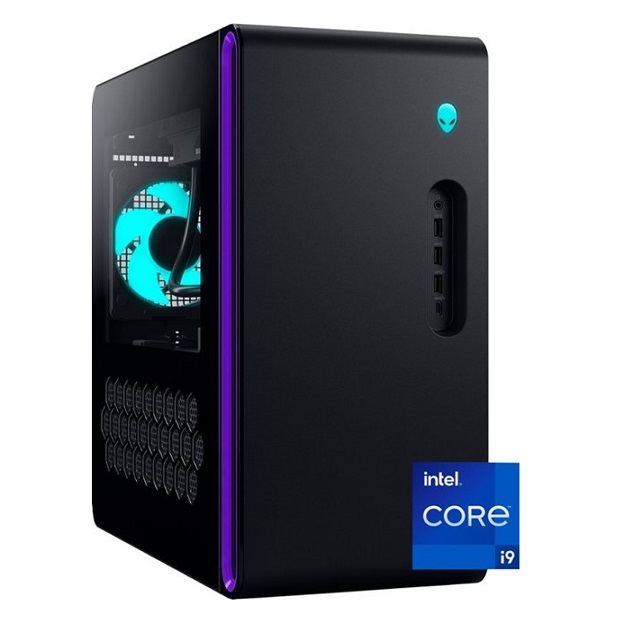
What It Do
Intel Application Optimization resolves and directs application resources in real time. This policy optimizes thread scheduling along with application threading for selected software titles and may improve performance for supported applications. System responsiveness may vary based on configuration and graphics card capabilities. Users can disable APO through this software for all applications or on a per application basis if results are not as expected. The APO is only available on i7 and i9 processors at present.
Intel® Application Optimizer is an optional part of the optimization technology that allows users to see which games are optimized and to turn off optimizations they do not want. Users may disable the entire application or disable specific games in “Enable/Disable Individual Applications” tab. The list will vary from user to user, depending on the games detected and optimized by Intel.
Intel’s Roger Chandler , vice president and general manager of Enthusiast PC and Workstation in the Client Computing Group, provides a deep dive into the new Intel Core 14th Gen desktop processor lineup. “Since the introduction of our performance hybrid architecture, Intel has consistently raised the bar for desktop performance. With our Intel Core 14th Generation processors, we’re showing once again why enthusiasts turn to Intel for the best desktop experience available on the market today.”
Led by the Core i9-14900K/KF — the world’s fastest desktop processor — this latest-generation desktop processor family includes six new unlocked desktop processors at launch, delivering up to 24 cores and 32 threads and up to 6 GHz of frequency right out of the box. Users may wish to use Intel® Application Optimization with optimized overclocking settings from other overclocking tools such as Intel’s Extreme Tuning Utility (XTU) for both CPU and GPU to further increase performance.
Additionally, the Intel Core i7-14700K arrives with 20 cores and 28 threads thanks to four more Efficient-cores (E-cores) compared with the prior generation. And XTU now features the new AI Assist feature, bringing one-click AI-guided overclocking to select unlocked Intel Core 14th Gen desktop processors.
How It Do It
Intel Application Optimization is enabled by default on a supported system that is running Intel® Dynamic Tuning Technology DTT, it runs silently as part of the Intel DTT driver. There is a ‘disable’ option provided for end-user control over their system and as a mitigation for any unexpected issues that might be arise post in-game tuning. For instance, if a new revision of the game affects the current tuning parameters, it provides a no-harm option until a fix is made available. Some systems may have Intel Application Optimization pre-installed by motherboard vendors. Users may choose to install Intel’s under interface available on the Microsoft Store to directly control the optimization.
Inside the DDT framework, the policy can help direct threads on detected applications and work alongside Thread Director. The goal is to improve performance in games, based on what games Intel has programmed into the policy. This is a game-oriented feature, meant to improve performance by managing threads better across the cores. APO does not modify frequency or any overclocking settings, it works by changing the way specific games run and are scheduled by Windows.
AO is for Microsoft® Windows® 11, supported Intel® 14th Gen Core Platform or newer, latest BIOS, enabled Intel® DTT.
How this works is that Intel whitelists games and the framework detects the game launch by .EXE (executable) and then enacts the policy. The games do not need to support it, it is something that Intel is detecting when you run the game and then enables the policy. This means Intel does need to update the framework with support for games as it adds new games to the supported list. At this time only two games are supported, Rainbow Six: Siege and Metro Exodus.
This is something that Intel will have to keep adding over time, and the framework can be enabled or disabled in the BIOS. In addition, there will be an app on the Microsoft Store that will allow you to toggle the feature on or off to see the differences. Again, this will only work in a list of supported games, and Intel will have to keep updating that support over time, as of right now it is limited in scope.



 What IT Do. How IT Do IT.
Leave a comment